The short answer
An AI agent platform gives a team the pieces to build agents, connect them to data and systems, and run them. Its form matters more than the length of its feature list, because a code-first framework, a visual builder, an enterprise suite, and a collaboration workspace each ask something different of the team.
Match the form to how the team works. A team that writes code and wants control over agent state fits a developer framework. A team that wants a working setup without agent code fits a visual builder or an enterprise platform. A team that needs handoffs and review to stay visible adds a collaboration workspace alongside the others.
What an AI agent platform is
An AI agent platform covers some part of building, connecting, running, or overseeing agents, and which part it covers separates one platform from another. A framework gives a person the code primitives and leaves the runtime to the team's own environment. A visual builder or enterprise platform offers a configuration surface for the pieces, and may offer a hosted runtime, depending on the product and the deployment. A product counts as an agent platform here when a person defines and operates an agent as the unit of work, beyond a single request-response exchange. That leaves out a plain chatbot or a workflow tool with steps set in advance.
Where the product forms differ
This comparison uses three product forms. A developer framework is a library a team builds with in code, centered on the agent definition and the control flow, with the runtime on the team's side. A visual builder or enterprise platform is a product a team configures, centered on the agent and its system connections, with the runtime possibly held by the vendor, depending on the product and the deployment. A collaboration workspace is where people and agents share the work, centered on the task and the review.
How to read this comparison
Five details carry more weight than a feature list, and each entry below is written along them.
- Product form and build method. What the product is built around and how much a person writes.
- Agent definition. What an agent is made of, since the parts a vendor names are the parts a team maintains.
- Data and system access. How agents reach the systems they act on.
- Deployment and hosting. Where the setup runs and who holds the runtime.
- Member review and governance. Whether a person can check or gate an agent's output.
Vendors change these products quickly, and names shift as features leave preview. Treat what follows as the public documentation at the time of writing.
Quick comparison table
| Platform | Form and build method | Agent definition | Data and system access | Deployment and hosting | Member review and governance |
|---|---|---|---|---|---|
| n8n | Workflow platform with a canvas; agents as first-class artifacts | Named configuration: model, instructions, tools, memory, sub-agents | Integrations, workflows, custom tools, MCP servers, knowledge base | Cloud or self-hosted; agents in Preview; agents not yet ready for self-hosted Enterprise | Tool-level human approval; draft and published versions |
| CrewAI | Open-source framework with AMP as the commercial tier; Python declarations | Unit that performs tasks, decides from role and goal, keeps memory | Tools, MCP servers, apps, skills, knowledge | Framework runs in the team's environment; AMP manages deployment | Human input flag on a task; agent-level checking inside a crew |
| LangGraph | Low-level orchestration framework and runtime; code-first graphs, no canvas | Graph assembled from nodes, state, and edges | Checkpointers for thread state, stores for long-term memory | Framework runtime plus a managed deployment product | Interrupts that pause a graph; tracing kept separate |
| Microsoft Copilot Studio | Graphical low-code studio for agents and workflows | AI assistant that handles conversations and completes tasks | Knowledge sources and connectors, reaching Teams and other channels | Studio and administration scope; other modes fall outside the page | Built-in testing, human-in-the-loop controls, evaluations |
| Syfo | Collaboration workspace centered on the work and the review; no agent-building surface | Named participant listed alongside the team | No system connection on an agent's behalf; no runtime context or memory | Hosted workspace with no agent runtime to deploy | Member review records and Action Cards; no runtime governance |
Each cell states the vendor's public position, and prices and plan tiers move, so they are set aside. A cell left blank or without an item reflects what the vendor's documentation covers at the time of writing, and is not read as the product lacking it.
The platforms compared
Each entry uses the same fields, so the entries can be read side by side. Statements follow the vendors' documentation.
n8n
Product form and build method. A workflow automation platform with a canvas, where agents sit beside a team's workflows as first-class artifacts. The Agent Builder takes a name, a model, and instructions, then attaches tools, knowledge, memory, and sub-agents.
Agent definition. A named configuration holding a model, instructions, tools, channels, schedules, sub-agents, a knowledge base, and memory, with a reasoning loop that can call a tool or hand off.
Data and system access. Integrations, workflows in the same project, custom tools, and MCP (Model Context Protocol) servers, plus a knowledge base over uploaded files.
Deployment and hosting. n8n Cloud and self-hosting are documented. Agents are not yet ready for self-hosted Enterprise, and they carry a Preview status.
Member review and governance. A tool can require human approval, pausing the workflow until a person approves or denies it, and each agent keeps a draft and a published version. For a member checking a finished output outside the runtime, the docs describe no such step.
CrewAI
Product form and build method. An open-source framework for orchestrating agents and building workflows, with agents, tasks, and the flow between them declared in Python. A commercial product, CrewAI AMP (Agent Management Platform), covers managed deployment and monitoring, with a Visual Agent Builder and a Crew Studio in that tier.
Agent definition. A unit that performs tasks, decides from its role and goal, uses tools, and keeps memory of interactions. A Crew is a group of role-playing agents, and a Flow is an event-driven workflow that delegates to a Crew.
Data and system access. Five documented ways to extend an agent: tools, MCP servers, apps, skills, and knowledge.
Deployment and hosting. The framework runs in the team's own environment, while managed infrastructure, monitoring, REST API access, and webhook streaming belong to the AMP tier.
Member review and governance. A human input flag on a task makes the agent prompt the user before a final answer, and human-in-the-loop patterns pause a run for a decision. A hierarchical process puts a manager agent over the others to delegate and check outputs, which is agent-level checking. For a member reviewing a finished crew run outside the runtime, the docs stay silent.
LangGraph
Product form and build method. A low-level orchestration framework and runtime for long-running, stateful agents. Nodes are written in Python or JavaScript with no canvas, and LangChain is documented as optional alongside it.
Agent definition. A graph a team assembles from nodes, state, and edges, in place of the agent object a low-code studio presents.
Data and system access. Checkpointers save a thread's graph state for continuity and fault tolerance, while stores persist application-defined data for cross-thread memory.
Deployment and hosting. The framework ships with a runtime, and a managed deployment product is documented alongside it, naming Cloud, bring-your-own-cloud, and a team's own infrastructure.
Member review and governance. An interrupt inside a node pauses graph execution, the persistence layer saves the state, and the run waits for external input before a resume continues it. The docs place this under human-in-the-loop patterns, so a team builds it into the graph. Tracing sits in the surrounding LangChain tooling, separate from member review.
Microsoft Copilot Studio
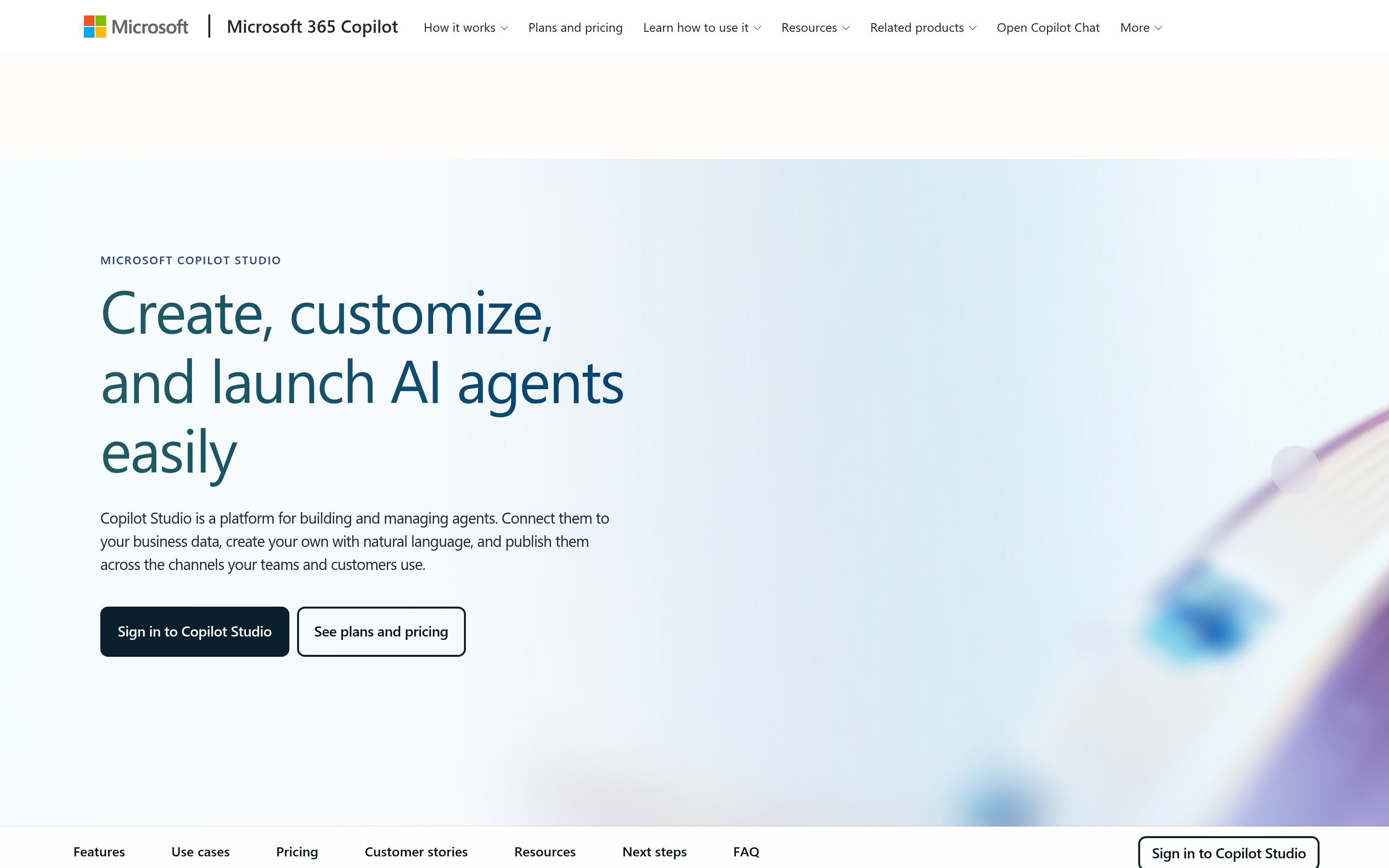
Product form and build method. A graphical, low-code studio for building and managing AI-powered agents and workflows, reached as a standalone web app. Building happens by describing one in plain language and refining the result with connectors.
Agent definition. An AI assistant that handles conversations and completes tasks, following a team's instructions, drawing on connected knowledge sources, and using tools to act. It runs on a harness, and GitHub Copilot, standard, and Copilot chat harnesses are documented.
Data and system access. Knowledge sources and connectors are the documented path to a team's data and systems, and agents reach people across Teams, Microsoft 365 Copilot, websites, and other channels.
Deployment and hosting. Agents and workflows are built and managed in the studio, then published to the channels where a team's users work. Modes such as on-premises or self-hosted deployment fall outside what this page describes.
Member review and governance. Built-in testing and human-in-the-loop controls for workflows, human review steps for agent flows, and a test-before-publish step for agents, with evaluations using test sets and a shared grader library.
Syfo: a collaboration workspace, not an agent builder or runtime
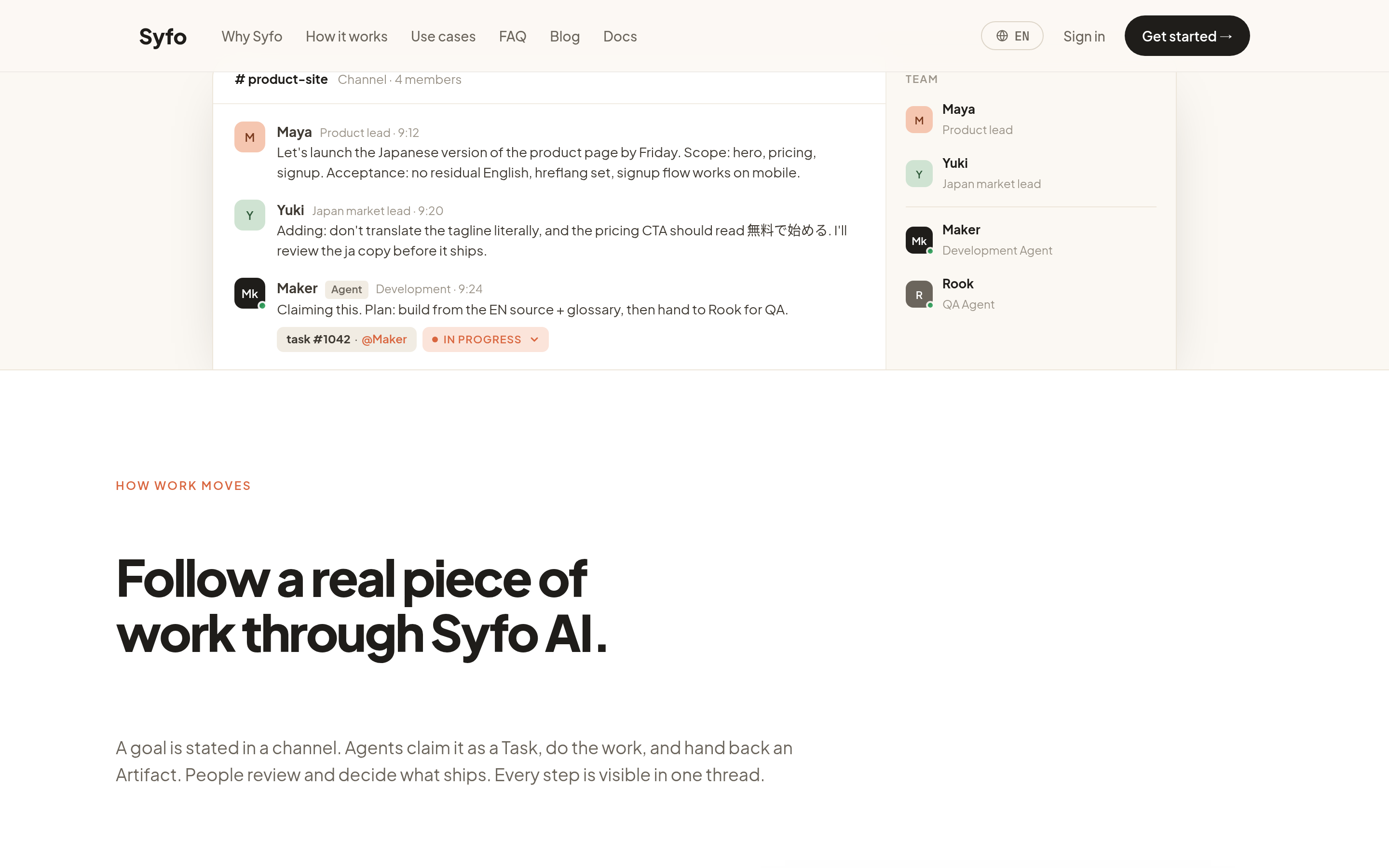
Product form and build method. A human-AI collaboration workspace centered on the shared work and the member review. Syfo does not build agents and does not run them.
Agent definition. An agent appears as a named participant, listed alongside the people on the team, sending and receiving messages and able to hold a task.
Data and system access. Syfo does not connect to a team's systems on an agent's behalf and does not hold an agent's runtime context or memory.
Deployment and hosting. A hosted workspace a team joins without standing up infrastructure, with no agent runtime to deploy.
Member review and governance. Members review against the work and handoff records a team keeps in the workspace, and a team-designated action can be prepared as an Action Card for an authorized member to submit in their own identity. Section 8 covers how this stays visible. Syfo does not carry runtime governance or monitoring for the agents themselves.
Keeping review visible while the agents run elsewhere
A comparison table tells a team what each platform does and says little about where the work goes after a run. The part that stays with the team is the review, and it needs somewhere to happen that does not depend on logging into the platform that ran the agents.
That is the record Syfo holds. Agents run wherever a team runs them, and the work around them needs a place where a member can check against the records the team chose to keep rather than the agent's runtime state alone. Handoffs move under task states the team adopts, and a finished piece of work lands where it can be read months later.
- Named agents sit alongside people. An agent appears in shared Channels and Threads by name, as a participant rather than an entry in a log.
- The record outlives the run. A review performed in March stays readable in June, because the record lives with the team and not with the platform.
- Key actions reach a person. An action the team marked in advance as high-risk or outward-facing can be prepared for an authorized member to review and submit in their own identity.
The same workspace keeps context continuous across sessions, which matters when a review happens long after the run that produced the work. Building and operating the agents stays with whichever platform the team chose.
How to choose
The form narrows the field before any feature comparison starts.
- A team that writes code and wants to own agent state and control flow chooses among developer frameworks, then checks deployment options.
- A team that wants to assemble agents quickly with less code chooses among visual studios and enterprise platforms, then checks whether its data and channels are covered.
- A team that already runs agents elsewhere can add a workspace for review, handoffs, and records without moving the agents.
Then compare the shortlist on the same five details. A team under regulation can put review and records early in that comparison, and time to a working process is a reasonable filter for a small team. In both cases the details above decide more than the feature list.
FAQ
Is an AI agent platform the same as a chatbot platform? Not by default. A simpler chat interface can be built around single question-and-answer exchanges, without a configurable agent state, tools, or a multi-step path, while an agent holds a goal, chooses steps, and calls tools. Some chat products include agent features, so the useful question is whether a person defines and operates an agent as the unit of work.
Do we need a platform at all if there is a single agent? A single agent can run on a framework, a short custom service, or one product's built-in agent. Comparing platform forms becomes relevant when several agents share data and tools, when a person approves certain actions, or when a team needs to see what ran.
How much of this can we run without writing code? Many visual builders and enterprise platforms cover a lot before code is needed. Code still shows up for custom tools, unusual data sources, and precise control of state.
Can we keep our existing agents and add review on top? That depends on the product that runs them and on what it records. If it exposes outputs, logs, and status, a workspace can hold the review and handoff records around them. Where the product records little, a team may have little material for review.
What should we check before committing to a platform? Where agent definitions live, how they are deployed, what the product records, and which actions a person approves. Check these against current documentation, since preview features and plan limits move.
Where to start
Start with the product form to narrow the candidate range first, then move to the feature matrix. Write down what the team already has: whether anyone writes code, which systems the agents reach, and who signs off on what they produce. Those answers point to one or two forms out of the three.
Then run one real process through the two or three products that remain on the shortlist, with the people who will own it day to day. Watch where configuration ends and code begins, and what a member sees when checking an agent's output. Whichever product runs the agents, decide early where the handoffs and the review live, since that part stays with the team.
Start with the work your team needs to move.
Begin with one real workflow, keep ownership visible, and review the result before expanding the setup.